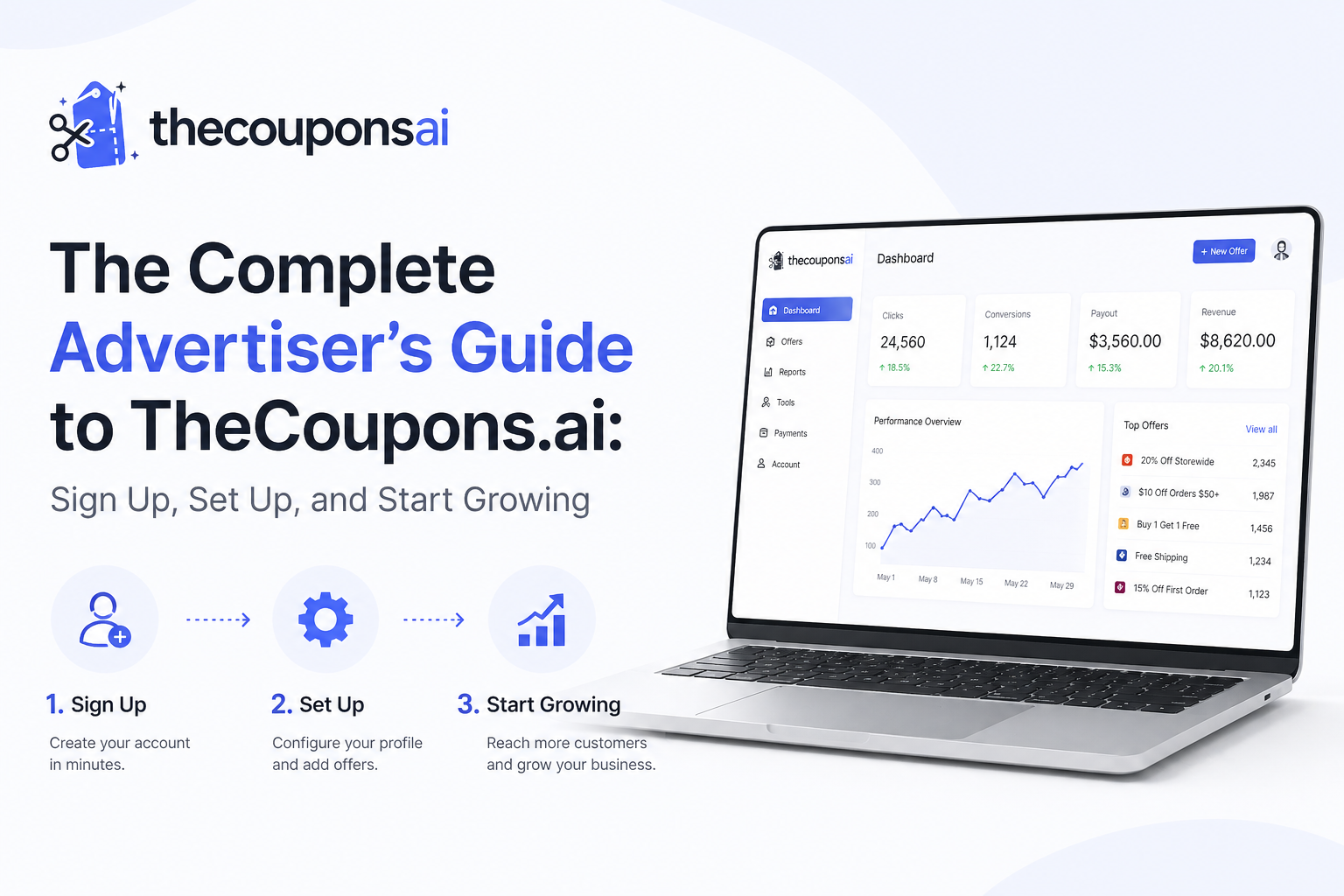
Welcome to TheCoupons.ai, the smart deal discovery platform that connects motivated shoppers with verified savings from trusted merchants. If you are a brand, retailer, or ecommerce business looking to reach high-intent customers, you have come to the right place. This complete guide walks you through every step of the advertiser journey — from signing up and setting up your brand profile to creating deals, going live, and optimizing your performance. Let us get started.
📖 What You Will Learn:
- Why Advertise on TheCoupons.ai
- Step 1: Create Your Advertiser Account
- Step 2: Complete Your Brand Profile
- Step 3: Submit Your First Deals and Coupons
- Step 4: Verification and Approval Process
- Step 5: Go Live and Start Driving Traffic
- Premium Upgrade: Unlock Advanced Features
- Best Practices for High-Performing Deals
- Frequently Asked Questions
Why Advertise on TheCoupons.ai?
Before diving into the signup process, let us understand the unique value TheCoupons.ai offers to advertisers unlike traditional coupon aggregators.
High-Intent Traffic
Shoppers on TheCoupons.ai are actively searching for deals on products like yours. They are not casual browsers. They are ready to buy and looking for a reason to choose your brand. This means higher conversion rates and better return on ad spend.
Full Control Over Your Offers
Unlike platforms that scrape deals without your knowledge, TheCoupons.ai puts you in control. You submit your own coupons, set expiration dates, and update or remove offers instantly through your brand dashboard. Nothing goes live without your approval.
Trust and Credibility
Because we only publish deals that merchants confirm as valid, customers trust TheCoupons.ai. They know every code works. This trust directly benefits your brand. A customer who finds a working coupon on our site is far more likely to complete their purchase and return for future deals.
Free Basic Listing
Getting started on TheCoupons.ai is completely free. You can create your brand profile, submit deals, and start driving traffic without any upfront cost. Premium upgrades are available for brands that want enhanced visibility and advanced features.
Step 1: Create Your Advertiser Account
Navigate to the Signup Page
Visit TheCoupons.ai and click on the "Advertiser Sign Up" or "Brand Registration" link. This is typically located in the website footer or under a dedicated "For Brands" section.
Fill Out Your Information
You will need to provide the following details:
- Full Name: Your legal name as the account manager
- Email Address: Primary contact for account communications
- Phone Number: Optional but recommended for verification
- Company/Brand Name: Your official business name
- Website URL: Your online store address
- Password: Create a secure password for your account
Verify Your Email
After submitting the form, check your inbox for a verification email from TheCoupons.ai. Click the confirmation link to activate your account. If you do not see the email within a few minutes, check your spam folder.
Step 2: Complete Your Brand Profile
Once your email is verified, log in to your advertiser dashboard. A complete brand profile builds trust with shoppers and improves your visibility in search results.
Upload Your Brand Logo
Your logo appears next to every deal you list. Upload a high-resolution image with a transparent background (PNG or SVG recommended). The ideal size is 500x500 pixels.
Write Your Brand Description
Tell shoppers what makes your brand unique. Keep it concise — 100-200 words covering your products, values, and what customers can expect. Use keywords naturally to help with SEO.
Add Store Categories
Select the categories that best represent your business (e.g., Fashion, Electronics, Home & Garden, Beauty, Sports). This helps shoppers find your deals when browsing by category.
Provide Social Media Links
Connect your Facebook, Instagram, X (Twitter), and other social profiles. This adds credibility and gives shoppers additional ways to engage with your brand.
Set Your Store URL and Tracking
Enter your website URL and any affiliate tracking parameters you want to append to deal links. TheCoupons.ai will automatically add these to all outbound clicks from your deals.
Step 3: Submit Your First Deals and Coupons
With your brand profile complete, it is time to add your offers. Remember: TheCoupons.ai only publishes deals that are currently valid and available. Do not submit expired or inactive codes.
Navigate to the Deals Section
In your advertiser dashboard, click on "Manage Deals" or "Add New Coupon."
Fill Out Deal Details
For each deal, provide the following information:
- Offer Title: Clear, compelling description of the discount (e.g., "40% Off Sitewide" or "Buy One Get One Free")
- Coupon Code: If a code is required, enter it exactly as customers should type it
- Deal Type: Select from options like Percent Off, Dollar Off, Free Shipping, BOGO, or No Code Required
- Start Date: When the deal becomes active
- Expiration Date: When the deal ends (required for all offers)
- Minimum Purchase: If applicable (e.g., "$10 off orders $50+")
- Exclusions: Note any products or categories not eligible for the discount
- Destination URL: Where customers should be directed (homepage, specific product, or category page)
Upload a Deal Image (Optional)
Adding an eye-catching image increases click-through rates. Use product photos or lifestyle images that represent the offer.
Submit for Review
Once all details are filled, click "Submit." Your deal will enter the verification queue. TheCoupons.ai team reviews each submission to ensure accuracy and validity.
Step 4: Verification and Approval Process
Unlike automated scraping platforms, TheCoupons.ai takes a hands-on approach to deal verification. This protects both shoppers and advertisers.
What We Check
- Code Validity: Does the coupon code work at checkout?
- Terms Accuracy: Are the discount percentage, minimum purchase, and exclusions correctly stated?
- Expiration Date: Is the end date realistic and clearly communicated?
- Destination URL: Does the link lead to the correct page?
Approval Timeline
Most deals are reviewed within 24-48 hours. During peak seasons, it may take up to 72 hours. You will receive an email notification once your deal is approved or if any changes are needed.
If Your Deal Is Rejected
If a deal does not pass verification, you will receive feedback explaining why. Common reasons include expired codes, incorrect terms, or broken links. Simply correct the issue and resubmit.
Step 5: Go Live and Start Driving Traffic
Congratulations! Once your brand profile is complete and at least one deal is approved, your store goes live on TheCoupons.ai.
Where Your Deals Appear
- Search Results: When shoppers search for your brand name or product category
- Dedicated Brand Page: Your own page on TheCoupons.ai featuring all your active deals
- Category Pages: Deals appear under relevant categories like Fashion or Electronics
- Homepage Featured Section: Premium advertisers may appear in highlighted areas
Track Your Performance
Your advertiser dashboard provides real-time analytics including:
- Impressions: How many times your deals were shown
- Clicks: How many shoppers clicked through to your site
- Click-Through Rate (CTR): Percentage of impressions that resulted in clicks
- Top Performing Deals: Which offers drive the most engagement
- Geographic Data: Where your clicks are coming from
Manage and Update Deals
Keep your offers fresh. Pause expired deals, add new promotions, and update terms as needed. Active, accurate deals build trust and drive repeat traffic.
✨ Premium Upgrade: Unlock Advanced Features
While the basic advertiser account is completely free, TheCoupons.ai offers a premium upgrade for brands that want maximum visibility and advanced tools. Benefits include priority placement in search results, dedicated account manager, bulk deal uploads, advanced analytics, and featured homepage placement. Contact our affiliate manager to learn more →
Best Practices for High-Performing Deals
Create Compelling Offer Titles
Use clear, action-oriented language. Instead of "Discount," write "40% Off Sitewide – Limited Time." Include the discount percentage, type of offer, and any urgency (e.g., "Today Only").
Set Realistic Expiration Dates
Nothing frustrates shoppers more than an expired coupon. Set expiration dates that align with your actual promotion schedule. Update or remove deals immediately after they end.
Test Your Codes Before Submitting
Always test your coupon code on your own website before submitting to TheCoupons.ai. Ensure it applies correctly, the discount amount is accurate, and any minimum purchase requirements work as intended.
Rotate Offers Regularly
Fresh deals keep shoppers coming back. Rotate your offers weekly or monthly. Seasonal promotions, holiday sales, and new product launches are great opportunities to update your listings.
Use High-Quality Images
Deals with compelling images see higher click-through rates. Use professional product photos or lifestyle images that represent the offer. Avoid low-resolution or generic stock photos.
Respond to User Feedback
Shoppers can leave comments on whether a deal worked for them. Monitor this feedback and respond promptly. If multiple users report an issue, investigate and fix it quickly.
Frequently Asked Questions
Is it really free to list my deals?
Yes, basic listing on TheCoupons.ai is completely free. You can create your brand profile, submit unlimited deals, and start driving traffic without any upfront cost. Premium upgrades are optional and provide additional features.
How long does approval take?
Most deals are reviewed and approved within 24-48 hours. During high-volume periods like Black Friday, it may take up to 72 hours. You will receive email notification once your deal is live.
Can I edit or remove a deal after it is live?
Absolutely. Log in to your advertiser dashboard, navigate to "Manage Deals," and edit or pause any active offer. Changes take effect immediately after our team reviews them.
Do I need an affiliate program to join?
No. TheCoupons.ai works with brands both with and without affiliate programs. For brands without affiliate tracking, we simply direct traffic to your website. For brands with affiliate programs, we can integrate tracking.
What happens if my coupon code stops working?
Shoppers can report non-working codes directly on TheCoupons.ai. If multiple reports come in, your deal will be temporarily paused, and you will be notified to update or fix the offer. This protects both shoppers and your brand reputation.
How do shoppers find my deals?
Shoppers discover your offers through search results (brand name or product category), dedicated brand pages, category browsing, and homepage featured sections. Premium advertisers receive priority placement.
👉 Start Your Advertiser Journey Today 👈
TheCoupons.ai is a smart deal discovery platform connecting brands with high-intent shoppers. Join thousands of merchants who trust us to grow their business.
© 2026 TheCoupons.ai. All rights reserved.
Comments (0)